
Azure Container Apps Express: When the Defaults are Enough

I’m a big fan of Azure Container Apps (ACA), and whilst Azure Kubernetes Service (AKS) has its place, I enjoy the relative simplicity of ACA and the ability to quickly deploy workloads.
However, with ACA you’re still making decisions about workload profiles, networking, and log destinations - decisions that, for a straightforward web app or API, you often don't care about yet.
Microsoft have now gone a step further with Azure Container Apps Express and in May 2026 they announced Azure Container Apps Express in Public Preview - a new deployment model that removes the environment (and the infrastructure decisions that come with it) entirely.
I've been trying it out, and in this blog post I'll cover what Express is, what it removes, how to deploy your first app, where the preview feature gaps are, and how to decide between Express and standard Container Apps.
Overview
Express is now the fastest way to go from a container image to an internet-reachable app on Azure. Essentially, you bring an image; Express handles provisioning, scaling, networking, and operations with production-minded defaults. There's no environment to set up first and almost nothing to configure.
It's worth being clear about what this is - Express is a new deployment model for Azure Container Apps, not a new service. Your app is still a container app; it just skips the ceremony of deploying the underlying hosting service.
The headline capabilities are:
Instant provisioning - your app is running in seconds, not minutes
Sub-second cold starts - fast enough for interactive UIs and on-demand endpoints
Scale to and from zero - automatic, with no scaling rules to write
Per-second consumption billing - you only pay while your app is running
Production-ready defaults - ingress, environment variables, and observability built in
The full concepts and capabilities are covered in the Express overview on Microsoft Learn.
What Express Removes
With standard Container Apps, you create and configure a managed environment before deploying anything. The environment defines the secure boundary, the virtual network, the workload profiles, and the logging configuration. It's powerful, but it's also provisioning time and cognitive overhead that some web workloads simply don't need.
Express removes that step. When you create an app through the new portal, the platform creates a lightweight environment for you behind the scenes (if you're working from the CLI, you still create an environment yourself, but it's a much simpler affair).
Behind the scenes, Express runs your container on pre-provisioned capacity with sensible defaults baked in - so you skip environment setup without giving up the serverless model.
There's no networking to configure and no scaling rules to write. The trade-off, of course, is control - more on that below.

Express vs Standard Container Apps
The comparison below covers the key features that matter in practice -
Feature | Standard Container Apps | Express (Preview) |
Environment | You create and configure it | Handled for you (lightweight) |
Provisioning | Minutes | Seconds |
Cold start | Standard | Sub-second |
Configuration surface | Full control | Minimal, opinionated defaults |
Networking | VNet integration, private endpoints | Not available (in development) |
Compute | Consumption, Dedicated, GPU | Consumption CPU only |
Management | Azure portal | New dedicated portal at containerapps.azure.com |
Express apps are managed through a new, streamlined portal experience at containerapps.azure.com, separate from the standard Azure portal. You can manage Express apps alongside your existing Container Apps resources there.
Standard Container Apps remains the right answer when you need VNet isolation, GPU compute (via workload profiles or serverless GPUs), TCP-based services, Dapr, built-in service discovery, or jobs and batch processing.
The Agent-First Angle
One thing that sets the Express announcement apart from a typical "simpler SKU" launch is that Microsoft explicitly describes it as developer-first and agent-first.
A new class of workloads has emerged in which AI agents deploy endpoints on demand. Think MCP servers, tool-use APIs, multi-step workflow endpoints, and human-in-the-loop UIs that an agent spins up, uses, and tears down when the work is done. When the deployer is an agent rather than a human, every second of provisioning delay is wasted productivity.
This also fits the wider AI platform picture. If you're building agents in Microsoft Foundry that need hosted tools or backends, Express gives them somewhere fast and cheap to live - scale-to-zero means an idle tool endpoint costs you nothing.
The architecture makes sense. MCP tools are increasingly exposed as remote HTTP endpoints, and the move to Streamable HTTP makes those endpoints easier to host on serverless platforms. For bursty agent workloads — a tool is called only occasionally, does a small job, then sits idle — the ability to spin up quickly, scale to zero, and avoid managing hosting infrastructure is well-suited to Express.
Deploy Your First Express App
Let's get something running. In this example, we'll keep it nice and simple and deploy a public quickstart image -
Browse to the new Container Apps portal - https://containerapps.azure.com/
Select the Create New option
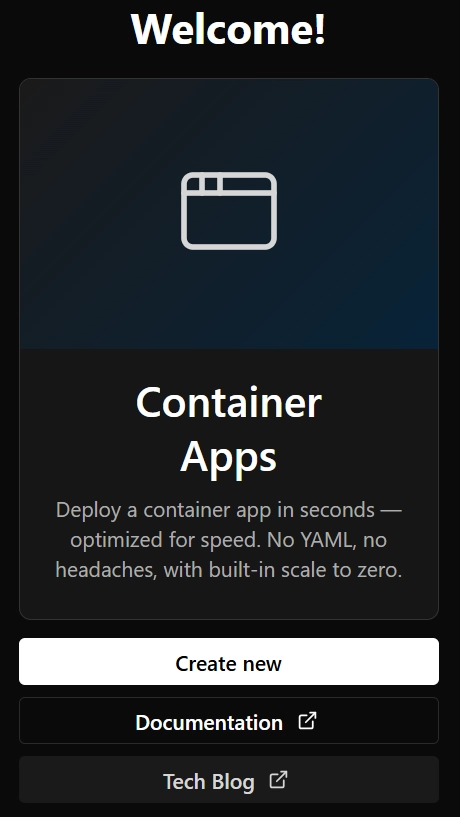
Select the Express App option and enter your App Name, Subscription, Resource Group, Image etc.

Select Create Container App

Click on the generated URL to view the running app

Back in the Container Apps portal, clicking on the app details gives us detailed config info, including the ability to stop/delete the app, connect to the console, etc.

In the Azure Portal, we can see the resource group, Container Apps Express environment and app that have been created for us

Preview Caveats and the Feature Gap
Express is a deliberately early ship. Microsoft has been open about the fact that there's a meaningful feature gap compared to standard Container Apps, with new capabilities landing on a rapid cadence throughout the preview.
As of writing, the supported list includes -
Scale to zero and multiple replicas
Image deployment (anonymous and token-based registry pulls)
Ingress and environment variables
Log streaming and logs via Log Analytics
Still in development (a selection - the full matrix is longer) -
Secrets and Key Vault integration
Managed identity (both app runtime and image pull)
Custom domains, health probes, and CORS
VNet integration and private endpoints
KEDA-based autoscale rules, Easy Auth, and Azure Monitor metrics
Beware: this matrix is changing quickly - check the feature support table before making any decisions based on this post. The lack of secrets and managed identity in particular means many production workloads should wait, or stick with standard Container Apps for now.
On pricing - Express apps run on consumption CPU with per-second, pay-as-you-go billing, and the same free grant as standard ACA consumption workloads (the first 180,000 vCPU-seconds, 360,000 GiB-seconds, and 2 million requests each month are free). Combined with scale-to-zero, trying Express effectively costs you nothing.
When to Choose Express
A simple rule of thumb: if your workload is HTTP-first and doesn't need special networking, start with Express.
Good fits -
Web apps and REST APIs
SaaS frontends and AI gateways
MCP servers and agent backends
Internal dashboards and admin panels
Prototypes and new projects that may grow into production
Not a fit -
Already using regular ACA? Stick with that for now
TCP-based services - use standard Container Apps environments
GPU workloads - use serverless GPUs with dedicated workload profiles
Jobs and batch processing - use Container Apps jobs
Microservices needing service discovery or Dapr - use standard Container Apps
Anything requiring VNet isolation or fine-grained network control - at least until those features land in Express
Conclusion
Express is Azure Container Apps with the infrastructure decisions removed. If you've ever waited for an environment to provision, only to realise you didn't need half the configuration options it asked you for, that's the problem it solves.
It's in Public Preview with a real feature gap, so treat it accordingly - but the direction is clear, and Microsoft has said Express should be close to feature-complete around Microsoft Build. For HTTP-first workloads, prototypes, and the emerging class of agent-deployed endpoints, it's well worth a look now.
I hope you found this post helpful. You may also find the following links useful -


Comments